Introduction
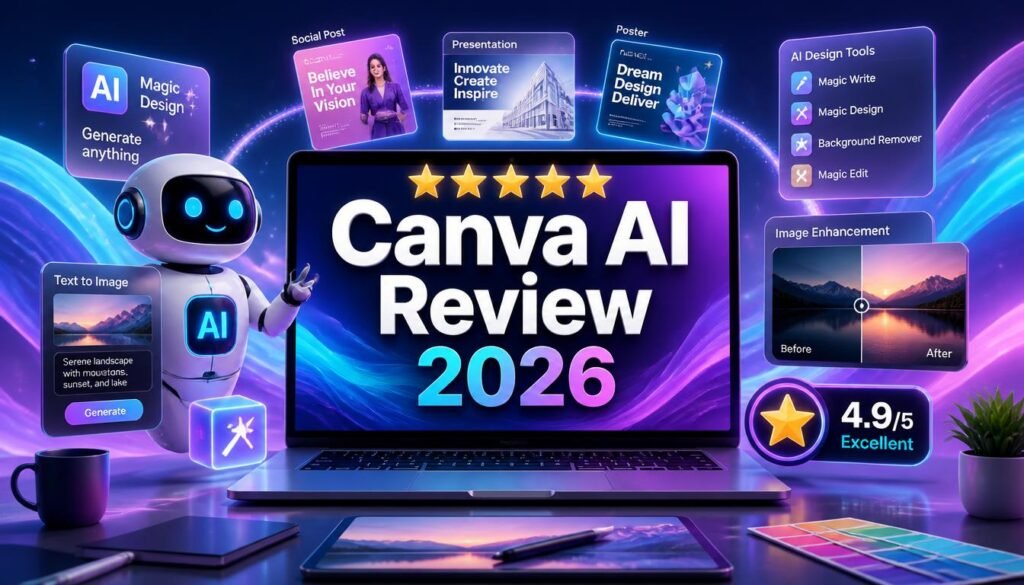
Creating professional graphics used to require expensive software and advanced design skills. Today, AI design tools have made visual content creation much easier for students, creators, marketers, educators, and small businesses.
Canva has moved beyond traditional drag-and-drop design with AI features for creating layouts, images, presentations, written content, and edits. Its newer Canva AI 2.0 also adds conversational creation and AI-powered workflows.
In this Canva AI Review 2026, we’ll look at its key features, pricing, advantages, limitations, alternatives, and practical use cases to help you decide whether Canva AI is worth using.
⚠️ Disclaimer: This review is for educational and informational purposes only. Features, pricing, and availability may change by region or subscription plan. Always check Canva’s official website before making a purchase decision.
Key Takeaways
| Aspect | Our Take |
|---|---|
| Best For | Students, creators, marketers and small businesses |
| Main Strength | Easy AI-assisted visual content creation |
| Free Plan | Available with limited AI usage |
| Premium | More AI access and premium design features |
| Best Feature | Canva AI and Magic Studio ecosystem |
| Overall Verdict | Excellent for fast, beginner-friendly design |
What Is Canva AI?
Canva AI is a collection of artificial intelligence features built into Canva’s creative platform. It helps users generate and edit designs, images, presentations and written content without needing advanced design skills.
Canva’s Magic Studio brought many AI tools together, while Canva AI 2.0 expands the experience with conversational creation and editable, layered designs.
The biggest advantage is convenience: instead of switching between several specialized tools, users can handle many creative tasks in one workspace.
Canva AI Main Features
Magic Design
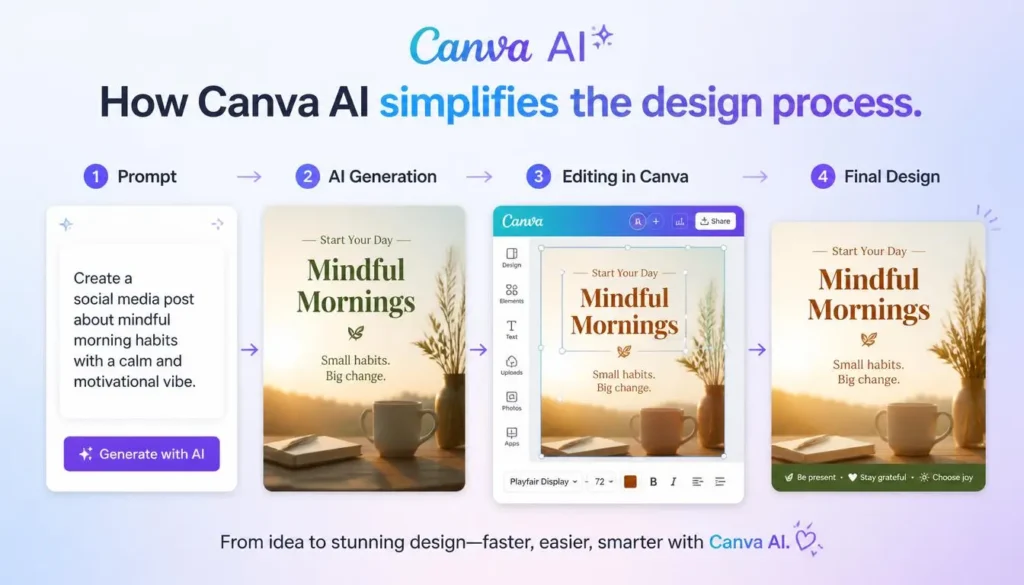
Magic Design can turn prompts or uploaded content into design suggestions. This is useful for social posts, presentations, promotional graphics, and other visual projects.
Magic Write
Magic Write helps generate captions, outlines, marketing copy, emails, and presentation text. It works best as a drafting and brainstorming assistant rather than a replacement for original writing.
AI Image Generation
Canva lets users create custom visuals from text prompts. This can be useful for blog graphics, presentations, social media posts, and marketing campaigns.
Magic Edit and Magic Eraser
These AI editing features help users modify images without complicated photo-editing software. You can change selected elements or remove unwanted objects from photographs.
Background Remover
The Background Remover makes it easy to isolate products, people, or other subjects from an image. It is particularly useful for e-commerce listings, thumbnails, and promotional designs.
AI Presentations
Canva AI can help create presentation structures, layouts, and visual themes from a simple idea. Students and professionals can then edit the generated content to match their requirements.
Brand Tools
Businesses can store logos, colors, fonts, and templates to maintain consistent branding across different designs.
How Students Can Use Canva AI
Students can use Canva AI for much more than presentations.
Useful applications include:
- Presentations for classroom projects
- Infographics for research topics
- Posters for academic events
- Flashcards and visual study materials
- Mind maps and timelines
- Project covers and handouts
The important point is to customize AI-generated material and make sure the information is accurate.
How Content Creators Can Use Canva AI
For creators, Canva AI can reduce the time required to produce visual content.
It can help with:
- YouTube thumbnails
- Instagram and Facebook graphics
- Blog featured images
- Pinterest designs
- Promotional banners
- Marketing materials
- Presentation visuals
This makes Canva particularly useful for creators who need consistent graphics but don’t want to learn complex professional design software.
Canva AI Pricing
Canva offers both free and paid plans. Its current pricing page lists a Free plan and paid options, with features and AI allowances varying by plan.
Free Plan
The free version provides access to the core editor, templates, stock content, and a limited amount of AI functionality. Canva’s current help documentation states that free users can access some AI tools with limited usage.
Pro Plan
Canva Pro adds premium content, more powerful design tools, increased AI access, and features such as background removal and brand tools.
Before subscribing, check the current pricing for your country because plans and prices can vary.
Who Should Pay for Canva Pro?
Canva Pro makes the most sense for:
- Content creators producing graphics regularly.
- Small businesses creating marketing materials.
- Freelancers working on multiple client projects.
- Marketers managing frequent campaigns.
- Design-heavy users who need premium assets and higher AI limits.
Pros and Cons
Pros
- Very beginner-friendly
- Wide range of AI design features
- Strong template library
- Useful image editing tools
- Excellent presentation creation
- Brand management features
- Multiple creative tasks in one platform
Cons
- Some advanced features require a paid plan
- AI results may need manual editing
- Less control than specialized professional software
- Heavy AI users may reach usage limits
- Advanced designers may prefer more specialized tools
💡 Pro Tip: Don’t publish an AI-generated design immediately. Check the text, facts, image quality, spacing, branding, and copyright or licensing requirements before using it commercially.
Canva AI Alternatives
If Canva doesn’t provide enough creative control, consider these alternatives:
- Adobe Firefly — Strong for AI image, video, audio, and creative editing workflows.
- Leonardo AI — Useful for detailed image generation, editing, video, and creative production.
- Midjourney — A popular option for artistic AI image generation.
- Microsoft Designer — AI-assisted graphic design for creating social posts, invitations, and other visual content.
Canva’s main advantage is that it combines design, AI writing, presentations, branding, and editing in one beginner-friendly environment.
Frequently Asked Questions (FAQs)
Is Canva AI free?
Yes. Canva has a free plan with access to several AI features, although AI usage and advanced tools are limited compared with paid plans.
Is Canva AI good for beginners?
Yes. Its templates, drag-and-drop editor, and AI-assisted workflows make it one of the easier design platforms for beginners.
Can Canva AI create images?
Yes. Canva provides AI-powered image creation alongside other visual generation and editing features.
Is Canva Pro worth it?
For frequent creators, marketers, freelancers, and businesses, Pro can be worthwhile because it provides premium content, advanced tools, and increased AI access.
Can students use Canva AI?
Yes. Students can use it for presentations, posters, infographics, study materials, and other educational projects.
Is Canva AI good for small businesses?
Yes. It can help businesses create social media graphics, advertisements, presentations, promotional materials, and consistent branded content.
Conclusion
Canva AI has become much more than a simple graphic design platform. Its combination of AI generation, image editing, presentations, writing assistance, templates, and branding makes it a practical choice for users who want professional-looking content without a complicated learning curve.
For students, it simplifies presentations and visual study materials. Content creators can use it for thumbnails, social graphics, and blog visuals, while small businesses can create marketing materials without hiring a designer for every basic task.
Canva AI is not the best choice for every professional design project, but its balance of simplicity and capability is difficult to ignore.
Overall, this Canva AI Review 2026 finds Canva AI to be one of the strongest options for beginners, creators, educators, marketers, and small businesses. If you want an accessible AI design tool that handles multiple creative tasks from one platform, Canva is worth trying.
Our Rating
Canva AI — 4.7/5 ⭐
Canva AI is an excellent choice for creating designs, presentations, social media content, images, and other visual materials. Its biggest strength is how easy it is to use, even for people without professional design experience. Canva also brings AI-powered design, image generation, editing, writing, and other creative features into one platform.
About the Author
Written by the NestAIHub Editorial Team, researchers and technology content editors covering AI tools, productivity software, and emerging digital technologies.

3 Comments
10 Best AI Tools for Students in 2026 (Free & Paid) - NestAIHub · August 5, 2026 at 10:31 pm
[…] 5. Canva AI […]
15 Best AI Tools for YouTube Creators in 2026 - NestAIHub · August 6, 2026 at 1:09 pm
[…] 3. Canva AI […]
10 Best AI Tools to Make Money Online in 2026 - NestAIHub · August 8, 2026 at 11:27 pm
[…] 2. Canva AI […]