Introduction
Running a small business often means handling everything yourself—from marketing and customer emails to content creation, project management, and daily administration. As your business grows, these repetitive responsibilities can quickly consume valuable time.
That’s where AI tools for small businesses can make a real difference. Modern AI platforms can help create content, automate workflows, analyze information, improve customer communication, and organize business operations without requiring a large team.
The good news is that many AI tools offer free or affordable options, making them accessible to startups, freelancers, online sellers, and growing companies.
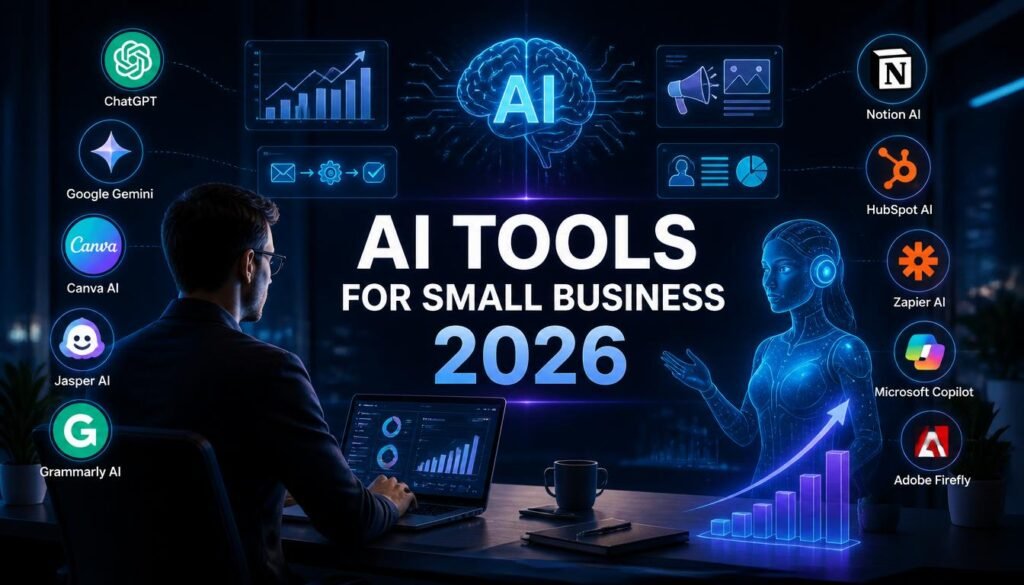
In this guide, we’ll compare the 10 best AI tools for small businesses in 2026, including their key features, best use cases, advantages, and limitations.
What Are AI Tools for Small Businesses?
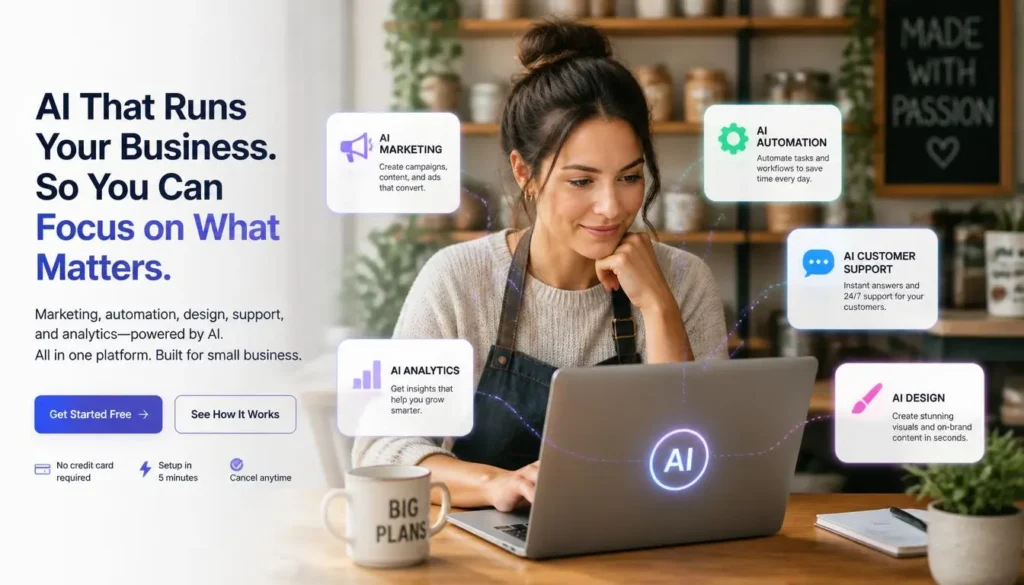
AI business tools use artificial intelligence to automate repetitive tasks, generate content, analyze information, and improve productivity.
Instead of manually completing every task, business owners can use AI to handle routine work while they focus on customers, strategy, and growth.
What Can AI Do for a Small Business?
AI can help with:
- Marketing and social media content
- Customer emails and support
- Business documentation
- Graphic design
- Data analysis
- Project management
- Workflow automation
- Research and brainstorming
Why Should Small Businesses Use AI?
The biggest advantage is efficiency. A small team can accomplish more without adding unnecessary manual work.
AI can also help businesses save time, reduce repetitive tasks, maintain consistency, and respond to customers faster.
1. ChatGPT
Best For: Content, brainstorming, customer communication, and productivity
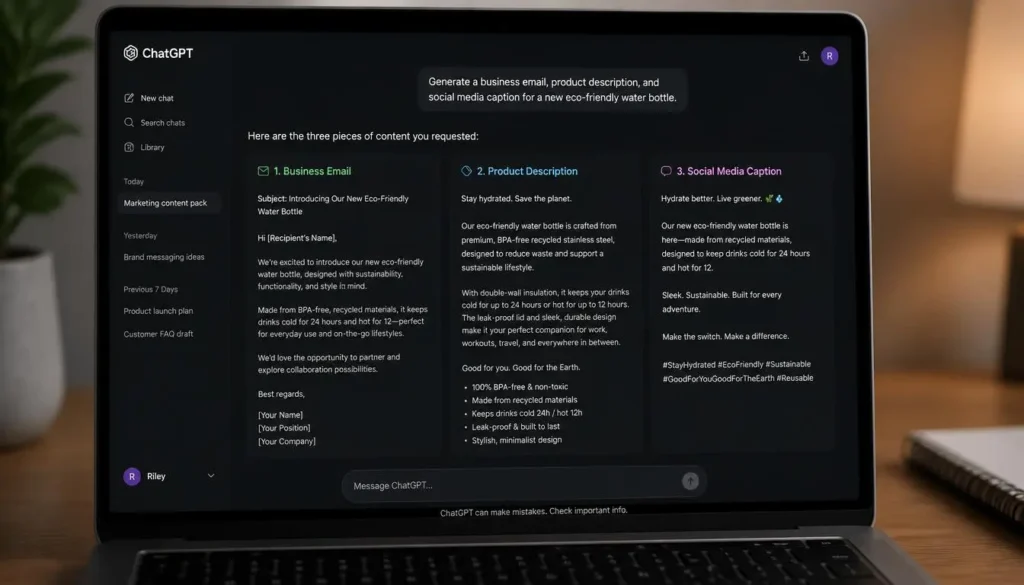
ChatGPT is one of the most versatile AI assistants for small businesses. It can help with marketing copy, emails, product descriptions, business ideas, customer responses, research, and documentation.
Key Features
- Content writing
- Email drafting
- Brainstorming
- Document summarization
- Marketing copy
- Coding assistance
How Businesses Can Use It
A business owner can use ChatGPT to draft blog posts, create social media captions, write proposals, prepare FAQs, and develop marketing ideas.
Pros: Versatile, easy to use, useful across many departments
Cons: AI-generated information should be reviewed before publication.
2. Google Gemini
Best For: Google Workspace and productivity
Google Gemini is particularly useful for businesses already working with Google Docs, Gmail, Drive, and Sheets.
It can assist with writing, research, document summaries, emails, and productivity tasks.
Key Features
- Email assistance
- Document summaries
- Research
- Spreadsheet support
- Workspace integration
Pros: Strong Google ecosystem integration and collaboration
Cons: Advanced capabilities may require a paid plan.
3. Canva AI
Best For: Marketing and visual content
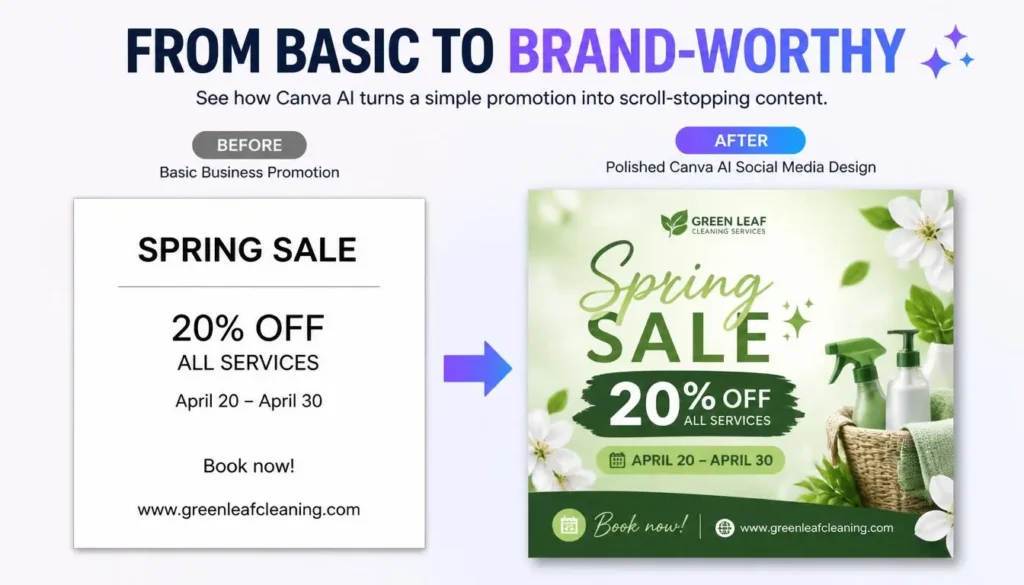
Canva AI makes professional-looking designs accessible to small businesses without dedicated designers.
Key Features
- AI image generation
- AI-assisted writing
- Presentation creation
- Background removal
- Marketing templates
- Brand designs
Businesses can create social media graphics, advertisements, presentations, brochures, and promotional content quickly.
Pros: Beginner-friendly, extensive templates, fast design creation
Cons: Some premium features and assets require a subscription.
4. Jasper AI
Best For: Marketing and SEO content
Jasper AI focuses heavily on business content creation. It can help marketing teams create blog content, advertisements, emails, product descriptions, and campaigns.
Key Features
- AI copywriting
- Marketing templates
- SEO content support
- Brand voice
- Campaign creation
Pros: Strong marketing focus and brand consistency
Cons: Can be more expensive than general-purpose AI assistants.
5. Grammarly AI
Best For: Business writing and communication
Grammarly AI helps improve grammar, spelling, clarity, tone, and overall writing quality.
Small businesses can use it to improve customer emails, proposals, reports, website copy, and marketing communication.
Pros: Easy to use and excellent for everyday writing
Cons: Advanced features require a paid plan.
6. Notion AI
Best For: Organization and team collaboration
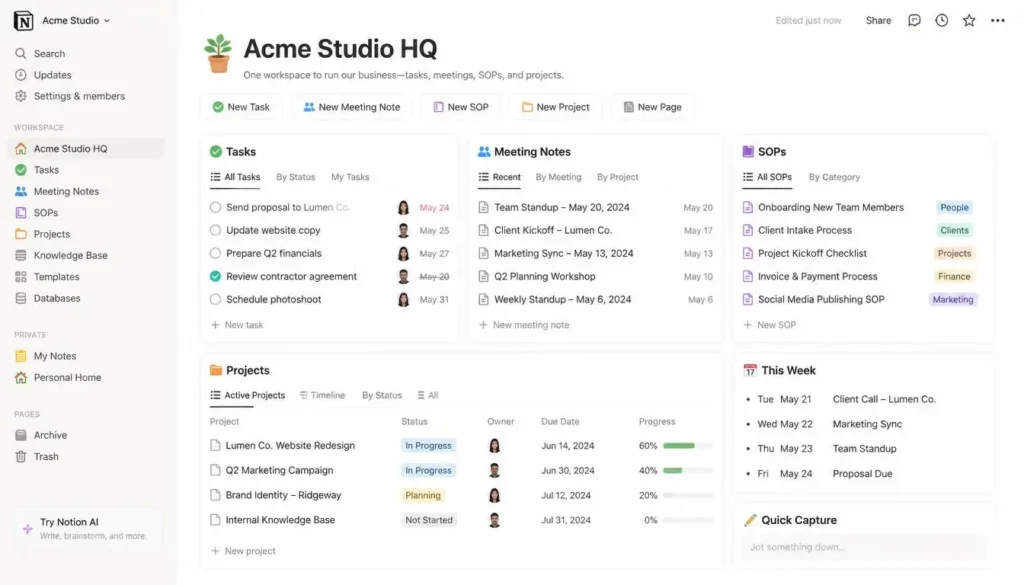
Notion AI combines documentation, project management, knowledge management, and AI assistance in one workspace.
Key Features
- AI writing
- Meeting summaries
- Task management
- Company documentation
- Knowledge bases
- Brainstorming
Businesses can create SOPs, project plans, meeting notes, internal documentation, and team knowledge bases.
Pros: Excellent organization and collaboration
Cons: New users may need time to learn the platform.
7. HubSpot AI
Best For: CRM, sales, marketing, and customer support
HubSpot AI adds AI capabilities to a broader CRM and marketing platform.
Businesses can use it to manage leads, improve customer communication, create content, and automate parts of their sales and marketing processes.
Key Features
- CRM assistance
- AI content creation
- Email assistance
- Marketing automation
- Customer support
- Sales insights
Pros: Strong all-in-one business ecosystem
Cons: Advanced business functionality can become expensive as the company grows.
8. Zapier AI
Best For: Workflow automation
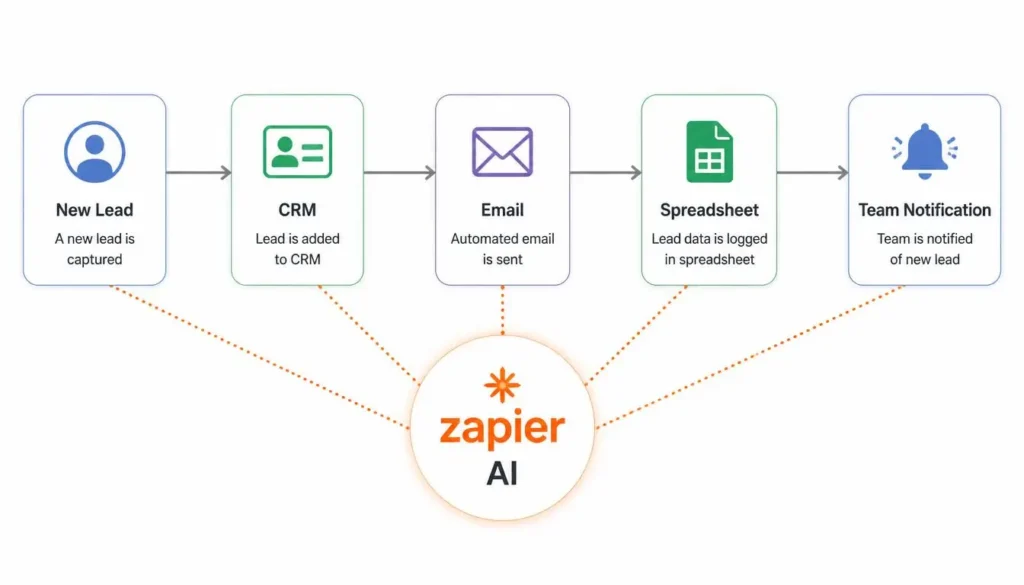
Zapier connects business applications and automates repetitive workflows without requiring traditional programming.
For example, a new customer form submission could automatically update a spreadsheet, notify a team member, and trigger an email workflow.
Key Features
- Workflow automation
- App integrations
- AI workflow creation
- Data transfer
- No-code automation
Pros: Saves substantial manual work and connects many apps
Cons: Advanced workflows and higher usage can require paid plans.
9. Microsoft Copilot
Best For: Microsoft 365 productivity
Microsoft Copilot brings AI assistance into Microsoft’s productivity ecosystem, including applications such as Word, Excel, PowerPoint, Outlook, and Teams.
Businesses can use it for document creation, email drafting, presentations, meeting summaries, and data-related tasks.
Pros: Excellent Microsoft integration and familiar workflow
Cons: Advanced business features generally require qualifying Microsoft subscriptions.
10. Adobe Firefly
Best For: AI-powered creative work
Adobe Firefly is designed for generating and editing creative assets with AI.
Small businesses can use it to create marketing visuals, promotional images, social media graphics, and other creative assets.
Key Features
- AI image generation
- Generative editing
- Creative effects
- Image modification
- Adobe ecosystem integration
Pros: Strong creative capabilities and professional workflow
Cons: Best suited to businesses that need regular design work.
AI Tools Comparison Table
| AI Tool | Best For | Free Option | Main Strength |
|---|---|---|---|
| ChatGPT | Content & productivity | Yes | Versatility |
| Google Gemini | Workspace | Yes | Google integration |
| Canva AI | Design | Yes | Easy visual creation |
| Jasper AI | Marketing | Trial | Brand-focused content |
| Grammarly AI | Writing | Yes | Communication |
| Notion AI | Organization | Yes | Business knowledge |
| HubSpot AI | CRM | Yes | Sales & marketing |
| Zapier AI | Automation | Yes | Workflow automation |
| Microsoft Copilot | Office work | Limited | Microsoft 365 |
| Adobe Firefly | Design | Limited | Creative AI |
Best AI Tools by Business Need
Best Overall: ChatGPT
For most small businesses, ChatGPT offers the widest range of everyday applications, from content and research to brainstorming and customer communication.
Best for Marketing: Jasper AI
Jasper is a strong choice for businesses producing large amounts of marketing content.
Best for Automation: Zapier AI
Businesses with repetitive workflows can benefit significantly from Zapier’s automation capabilities.
Best for Design: Canva AI
Canva AI is ideal for creating professional marketing materials without hiring a full-time designer.
Best for Organization: Notion AI
Notion AI works well for businesses that need centralized documentation, project management, and internal knowledge.
How Small Businesses Can Use AI
Automate Repetitive Tasks
Use automation platforms to connect apps and reduce manual data entry, notifications, and routine workflows.
Create Marketing Content
AI can help generate blog ideas, product descriptions, emails, advertisements, and social media content.
Improve Customer Service
AI can help prepare responses to common customer questions and organize support information.
Analyze Business Information
AI assistants can help summarize reports, identify patterns, and make large amounts of information easier to understand.
Create Visual Content
Design platforms such as Canva AI and Adobe Firefly can help businesses create promotional graphics without advanced design skills.
⚠️ Common AI Mistakes Small Businesses Should Avoid
Don’t share sensitive business or customer information with an AI platform without first understanding its privacy and security practices.
Also, never publish important AI-generated information without reviewing it. AI should assist human decision-making, not replace it.
Pro Tip: Start with one AI tool that solves your biggest business problem. Measure the time or money it saves before adding more subscriptions.
Frequently Asked Questions
What is the best AI tool for small businesses?
ChatGPT is one of the strongest all-around choices because it can support content, communication, brainstorming, research, and productivity.
Can AI reduce small business costs?
Yes. AI can reduce repetitive manual work and allow small teams to accomplish more without immediately increasing staff.
Which AI tool is best for marketing?
Jasper AI is particularly focused on marketing content, while ChatGPT and Canva AI are useful for broader content and visual campaigns.
Is AI automation difficult?
Not necessarily. Platforms such as Zapier are designed to connect applications without requiring traditional coding.
Are free AI tools enough for startups?
Often, yes. New businesses can begin with free plans and upgrade only when higher usage limits or advanced features become necessary.
Final Verdict
AI tools are becoming increasingly valuable for small businesses in 2026. From creating marketing content and designing graphics to automating workflows and organizing company information, the right tools can save time and help small teams operate more efficiently.
There isn’t one perfect platform for every business. ChatGPT is the best general-purpose option, Canva AI is excellent for visual marketing, Zapier AI is ideal for automation, and Notion AI is a strong choice for organization and documentation.
Our Recommendations
- Best Overall: ChatGPT
- Best Free Option: Google Gemini
- Best Marketing Tool: Jasper AI
- Best Automation Tool: Zapier AI
- Best Design Tool: Canva AI
- Best Organization Tool: Notion AI
Start small. Choose one or two tools that directly address your biggest challenges, measure their impact, and expand your AI toolkit as your business grows.
✍️ About the Author
NestAIHub Editorial Team
The NestAIHub team covers AI tools, productivity software, and practical technology guides, helping small businesses, creators, students, and professionals make smarter use of emerging technology.

0 Comments