Introduction
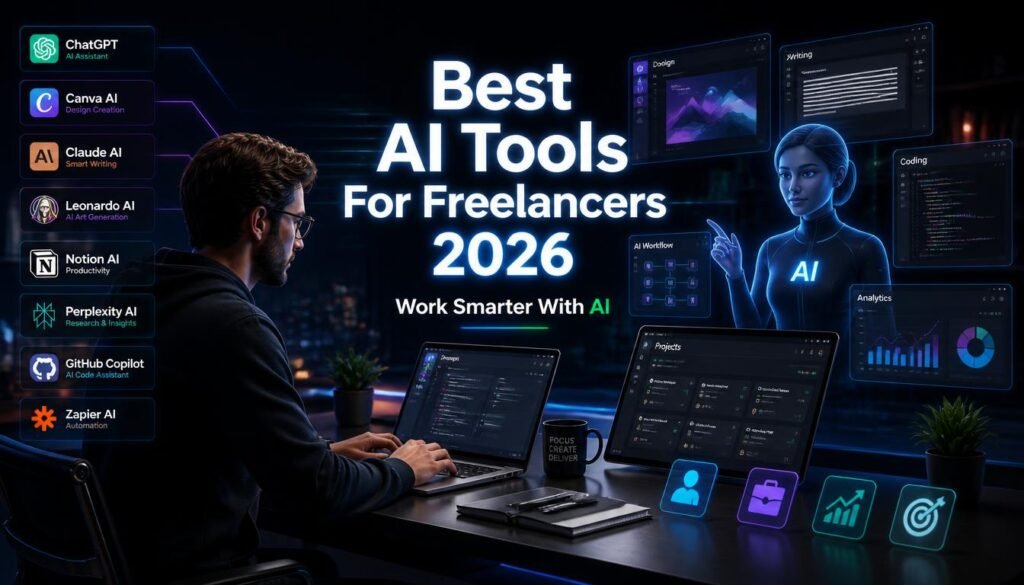
Freelancing has changed rapidly, and artificial intelligence is now one of the most useful productivity tools for independent professionals. In 2026, writers, designers, developers, marketers, video editors, and virtual assistants can use AI to complete repetitive tasks faster and focus more on creative, high-value work.
However, AI does not replace professional expertise. Clients still want original ideas, accuracy, communication, problem-solving, and quality results. The smartest approach is to use AI as an assistant that improves your workflow rather than relying on it to do everything.
In this guide, we’ll explore the 10 best AI tools for freelancers in 2026, their best uses, advantages, limitations, and how beginners can use them to build a more efficient freelance career.
📊 Best AI Tools for Freelancers: Quick Takeaways
| AI Tool | Best For | Ideal Users |
|---|---|---|
| ChatGPT | Writing & research | Writers, marketers |
| Canva AI | Graphic design | Designers, creators |
| Claude | Long-form writing | Writers, researchers |
| Leonardo AI | Image generation | Designers |
| Grammarly | Editing | All freelancers |
| Notion AI | Productivity | VAs, managers |
| Perplexity | Research | Writers, consultants |
| GitHub Copilot | Coding | Developers |
| Zapier AI | Automation | Business freelancers |
| Descript | Video editing | Video creators |
What Are AI Tools for Freelancers?
AI tools are software applications that help professionals with tasks such as writing, research, design, coding, editing, organization, and automation.
For freelancers, the biggest benefit is time. Instead of spending hours on repetitive work, you can use AI to handle initial drafts, research, formatting, brainstorming, and routine workflows.
The final result should still be reviewed and improved by a human.
1. ChatGPT — Best Overall AI Tool
ChatGPT is one of the most versatile AI assistants available to freelancers. It can help with writing, brainstorming, research, coding, summaries, proposals, emails, and client communication. OpenAI also lists writing, planning, studying, coding, and file/image analysis among ChatGPT’s uses.
Best for: Writers, marketers, developers, virtual assistants, and business freelancers.
Pros
- Versatile and beginner-friendly
- Useful for many freelance services
- Helps reduce repetitive work
Cons
- AI output needs editing
- Important information should be verified
For a detailed review, see our ChatGPT Review.
2. Canva AI — Best for Graphic Design
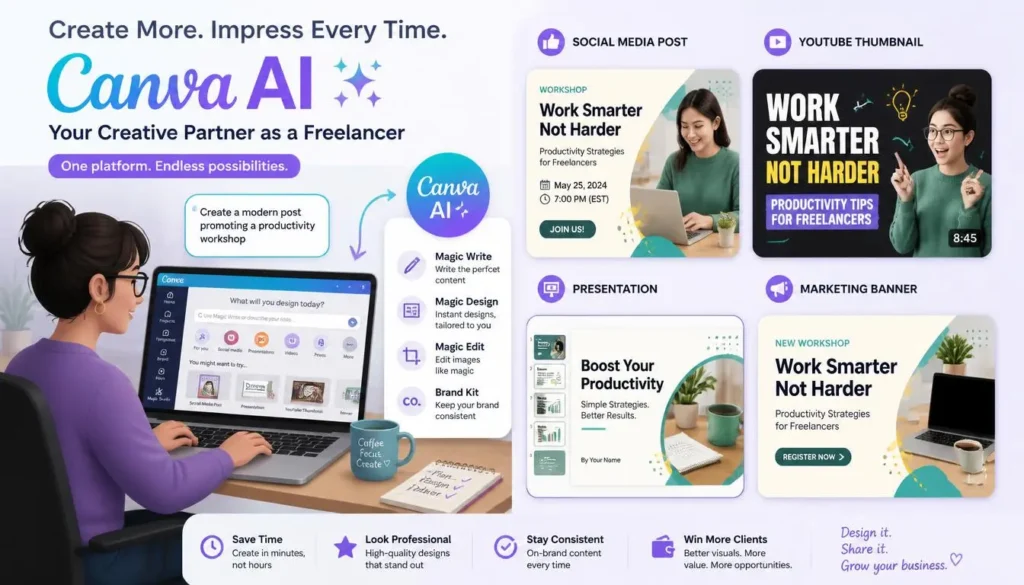
Canva is an excellent choice for freelancers creating social media graphics, presentations, thumbnails, marketing materials, and other visual content.
Canva’s current AI features support design, writing, images, video, and other creative workflows. Canva AI is available on its Free plan, while paid plans provide increased usage and additional capabilities.
Best for: Designers, marketers, social media managers, and creators.
Pros: Easy to use, large template library, fast workflow.
Cons: Advanced features may require a paid plan.
3. Claude — Best for Long-Form Writing
Claude is particularly useful for long documents, professional writing, editing, research, and detailed project requirements.
Freelancers can use it to improve articles, summarize documents, prepare reports, and organize large amounts of information.
Best for: Writers, researchers, consultants, and technical professionals.
Pros: Strong long-form writing and document analysis.
Cons: Generated information still requires human review.
You can also read our detailed Claude AI Review 2026.
4. Leonardo AI — Best for AI Images
Leonardo AI helps freelancers create illustrations, concept art, marketing graphics, and creative visuals using text prompts.
It can save designers time when creating initial concepts or visual variations for clients.
Best for: Designers, bloggers, marketers, and content creators.
Pros: Creative flexibility and fast generation.
Cons: Outputs may require editing and refinement.
5. Grammarly — Best for Professional Communication
Grammarly can help freelancers improve grammar, clarity, spelling, tone, and professional communication.
It is particularly useful for client emails, proposals, reports, website copy, and other business writing.
Best for: Almost every freelancer.
Pros: Easy to use and useful for editing.
Cons: Some advanced features require a paid plan.
6. Notion AI — Best for Organization
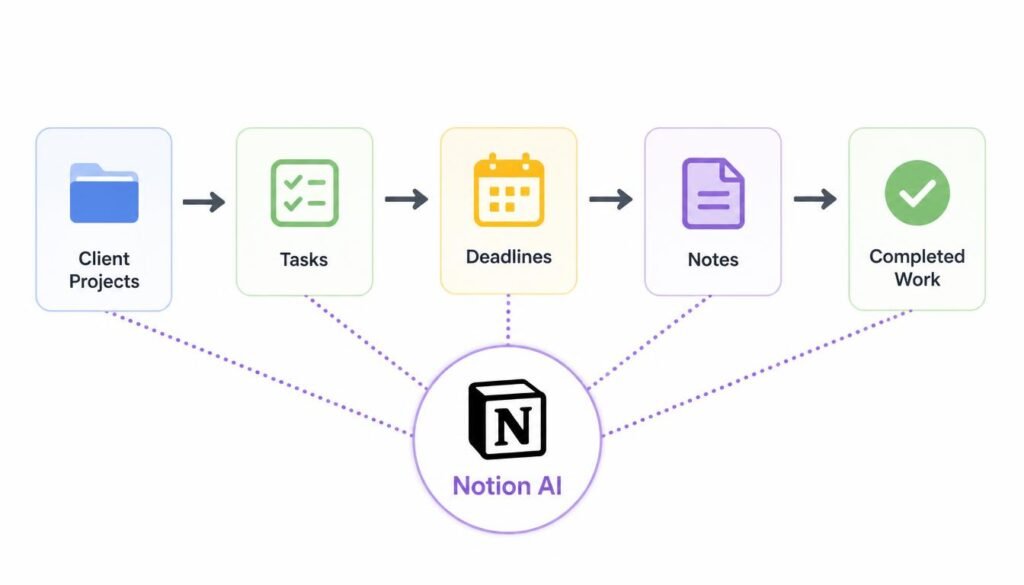
Notion combines AI assistance with notes, databases, project management, and task organization.
Freelancers can use it to manage client projects, deadlines, content calendars, meeting notes, and research.
Best for: Virtual assistants, project managers, writers, and entrepreneurs.
7. Perplexity — Best for Research
Perplexity is useful for freelancers who need fast research, source discovery, competitor research, and fact-finding.
Writers and consultants can use it to explore unfamiliar subjects before creating content. However, important claims should always be checked against reliable primary sources.
Best for: Writers, researchers, marketers, and consultants.
Pros: Fast research and source references.
Cons: AI-generated information can still contain errors.
8. GitHub Copilot — Best for Developers
GitHub Copilot helps developers with code suggestions, explanations, debugging, and repetitive programming tasks.
It can make development workflows faster while allowing programmers to focus more on architecture and problem-solving.
Best for: Web developers and software freelancers.
Pros: Speeds up coding and reduces repetitive work.
Cons: Generated code must be reviewed carefully.
9. Zapier AI — Best for Automation
Zapier helps freelancers connect applications and automate repetitive workflows.
For example, you can automate parts of lead management, client onboarding, email workflows, task creation, and data organization.
Best for: Virtual assistants, consultants, agencies, and business freelancers.
Pros: Saves time and reduces repetitive work.
Cons: Complex workflows can require some learning.
10. Descript — Best for Video Editing
Descript is designed for video and audio workflows, offering features such as transcription, captions, editing, and audio enhancement.
It can help freelancers produce YouTube videos, podcasts, courses, and social media content more efficiently.
Best for: Video editors, creators, educators, and marketers.
Pros: Beginner-friendly and efficient.
Cons: Advanced features may require a paid plan.
📊 AI Tools Comparison for Freelancers
| Tool | Best Use | Difficulty |
|---|---|---|
| ChatGPT | Writing & research | Beginner |
| Canva AI | Graphic design | Beginner |
| Claude | Documents & writing | Beginner |
| Leonardo AI | Images | Beginner–Intermediate |
| Grammarly | Editing | Beginner |
| Notion AI | Productivity | Beginner |
| Perplexity | Research | Beginner |
| GitHub Copilot | Coding | Intermediate |
| Zapier AI | Automation | Intermediate |
| Descript | Video | Beginner–Intermediate |
💡 Pro Tip: Don’t subscribe to every AI tool you find. Start with one freelance skill and one or two tools. Once those tools genuinely improve your workflow, consider adding others.
How to Start Freelancing With AI
Step 1: Choose One Skill
Focus on writing, design, coding, video editing, marketing, or virtual assistance.
Step 2: Learn the Right AI Tool
Master one or two tools instead of constantly switching platforms.
Step 3: Build Sample Work
Create articles, graphics, videos, websites, or other examples for your portfolio.
Step 4: Find Clients
Use freelance marketplaces, LinkedIn, your website, and professional networking.
Step 5: Improve Continuously
Keep developing your professional skills alongside your AI knowledge.
Common Mistakes to Avoid
- Delivering unedited AI-generated work.
- Depending completely on AI.
- Ignoring client requirements.
- Prioritizing speed over quality.
- Failing to verify important information.
- Trying too many tools without mastering any.
Clients pay for solutions and results—not simply AI-generated output.
Frequently Asked Questions
Which AI tool is best for freelancers?
ChatGPT is the strongest overall choice because it supports writing, research, brainstorming, coding, and many everyday freelance tasks.
Can AI help freelancers earn more?
AI can help freelancers save time and handle projects more efficiently. However, earnings still depend on skills, quality, pricing, experience, and finding clients.
Is AI replacing freelancers?
AI is changing freelance work, but human creativity, judgment, communication, and understanding of client goals remain important.
Do beginners need coding skills?
No. Freelancers can start with writing, design, research, marketing, video editing, or virtual assistance without programming knowledge.
Final Conclusion & Actionable Verdict
AI is becoming a powerful productivity partner for freelancers in 2026. ChatGPT, Canva AI, Claude, Leonardo AI, Grammarly, Notion AI, Perplexity, GitHub Copilot, Zapier, and Descript each solve different problems, from writing and design to coding, research, automation, and video production.
The best strategy is not to collect dozens of AI subscriptions. Instead, choose one marketable freelance skill, learn the tools that support it, create a strong portfolio, and focus on delivering excellent results.
AI can help you work faster, but your expertise is what creates value. Freelancers who combine professional skills with responsible AI use will be better positioned to compete and grow in 2026.
Use AI to Improve Your Freelance Work
AI can help freelancers save time, but the real benefit comes from using it to improve your existing skills. Use AI for research, first drafts, client communication, ideas, repetitive tasks, and basic analysis—but keep your own judgment and creativity in the final work.
Our advice: Don’t try to use every AI tool. Pick 2–3 tools that fit your freelance service and learn them properly. The goal is not to replace your skills with AI; it is to deliver better work in less time.
✍️ About the Author
NestAIHub Editorial Team covers artificial intelligence, AI tools, productivity software, and emerging technology. Our goal is to turn complex technology into practical, easy-to-understand guides for students, creators, freelancers, professionals, and businesses. ✍️
Editorial Focus: AI tools, productivity, emerging technology, and practical AI education.

1 Comment
10 Best AI Tools to Make Money Online in 2026 - NestAIHub · August 8, 2026 at 11:26 pm
[…] Freelancing […]