10 Best AI Tools for Students in 2026 (Free & Paid)
Meta Description
Discover the 10 best AI tools for students in 2026. Compare free and paid AI study tools to improve writing, research, note-taking, presentations, and productivity.
Introduction
Artificial intelligence is no longer just a futuristic technology—it has become a practical learning companion for millions of students worldwide. From simplifying research and organizing notes to improving writing and creating presentations in minutes, AI is transforming the way students learn.
Whether you’re in high school, college, or pursuing an online course, today’s AI-powered applications can save time, improve productivity, and help you understand difficult concepts more effectively. Instead of spending hours searching for information or formatting assignments, students can now focus more on learning and critical thinking.
However, not every AI tool is designed for the same purpose. Some excel at writing assistance, while others specialize in research, note-taking, presentation design, or grammar improvement. Choosing the right tool can significantly improve your academic workflow.
In this guide, we’ll explore the best AI tools for students in 2026, including both free and premium options. We’ll discuss their features, strengths, limitations, pricing, and who they’re best suited for so you can decide which one fits your study needs.

Why Students Need AI Tools
Modern education requires students to manage multiple responsibilities at once. AI helps by automating repetitive tasks and making learning more efficient.
Students commonly use AI tools to:
- Research academic topics faster
- Improve essays and assignments
- Summarize lengthy articles
- Create class presentations
- Organize lecture notes
- Correct grammar and spelling
- Brainstorm project ideas
- Manage study schedules
- Prepare for exams
The goal isn’t to replace learning but to support it. When used responsibly, AI becomes a powerful study assistant rather than a shortcut.
1. ChatGPT
Overview
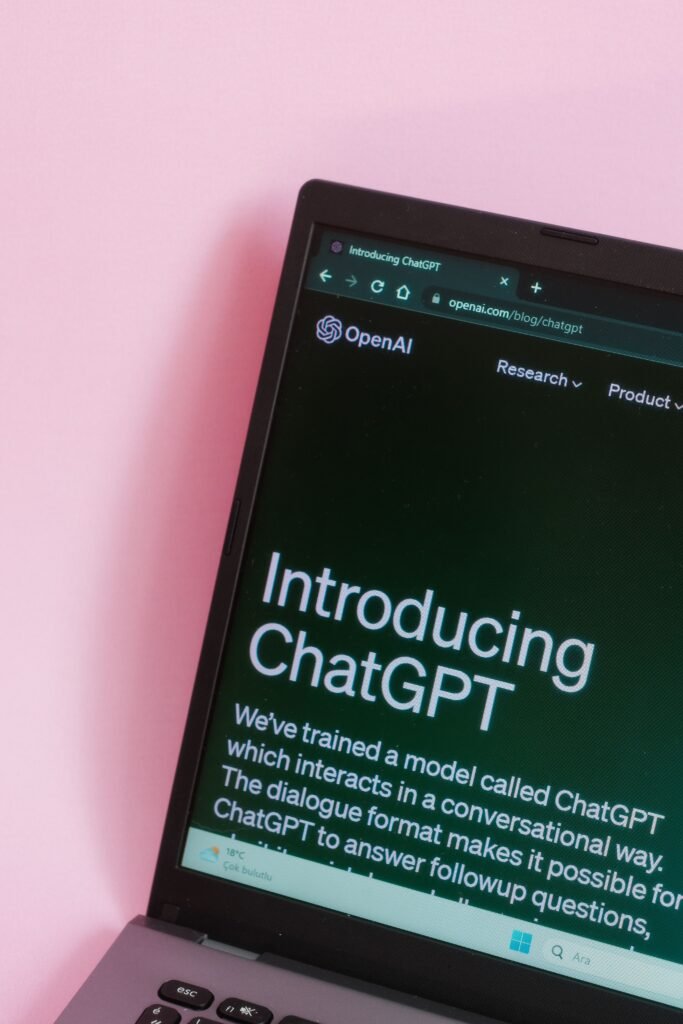
ChatGPT is one of the most versatile AI tools available today. It helps students understand concepts, generate ideas, solve problems, explain difficult subjects, draft essays, summarize notes, and even practice interview questions.
Rather than simply providing answers, it can explain topics step by step, making it especially useful for learning.
Main Features
- Conversational AI assistance
- Essay drafting
- Homework explanations
- Coding help
- Language translation
- Study planning
- Brainstorming
- Document summarization
How Students Can Use It
Students can ask ChatGPT to explain complex mathematical formulas, simplify scientific theories, generate practice quizzes, improve essays, or create personalized study plans.
Pros
- Easy to use
- Excellent explanations
- Supports many subjects
- Great for brainstorming
- Available on multiple devices
Cons
- Can occasionally provide incorrect information
- Should not replace independent research
Pricing
- Free plan available
- Paid subscription available with additional capabilities
Best For
Students looking for an all-in-one AI study assistant.
2. Google Gemini
Overview
Google Gemini combines powerful AI with Google’s search ecosystem, making it particularly useful for research and information gathering.
Main Features
- Research assistance
- Writing support
- Coding help
- Google Workspace integration
- Image understanding
How Students Can Use It
Gemini helps students summarize articles, brainstorm ideas, organize projects, and collaborate within Google Docs and Gmail.
Pros
- Excellent research support
- Fast responses
- Strong Google integration
Cons
- Some advanced features require a subscription
Pricing
- Free version
- Premium plan available
Best For
Students already using Google Workspace.
3. Perplexity AI
Overview
Perplexity AI combines AI-generated answers with cited web sources, making it particularly valuable for academic research.
Main Features
- Source citations
- Research assistance
- Web search
- Summaries
- Follow-up questions
How Students Can Use It
Students can quickly gather reliable information while reviewing the referenced sources for deeper understanding.
Pros
- Includes citations
- Excellent for research
- Saves time
Cons
- Limited advanced features in the free version
Pricing
- Free plan
- Pro subscription
Best For
Research-focused students.
4. Notion AI
Overview
Notion AI enhances one of the world’s most popular productivity platforms by helping students organize notes, tasks, and study materials.
Main Features
- Smart note-taking
- AI summaries
- Task management
- Writing assistance
- Knowledge organization
How Students Can Use It
Students can build study dashboards, manage assignments, summarize lecture notes, and keep everything organized in one workspace.
Pros
- Excellent organization
- Great productivity features
- Collaborative
Cons
- Learning curve for beginners
Pricing
- Free workspace
- AI features require a paid add-on or eligible plan
Best For
Students managing multiple courses.
5. Canva AI
Overview
Canva AI helps students create visually appealing presentations, posters, infographics, and educational graphics without requiring design skills.
Main Features
- AI presentation generator
- Magic Design
- AI image generation
- Background remover
- Templates
How Students Can Use It
Students can create professional classroom presentations, research posters, resumes, and social media projects.
Pros
- Beginner-friendly
- Beautiful templates
- Fast design process
Cons
- Some premium assets require payment
Pricing
- Free plan
- Canva Pro subscription
Best For
Creative students and presentation projects.
6. Grammarly AI
Overview
Grammarly AI goes beyond grammar checking by improving clarity, tone, and overall writing quality.
Main Features
- Grammar correction
- AI writing assistance
- Tone suggestions
- Plagiarism checking (premium)
- Style improvements
How Students Can Use It
Students can polish essays, research papers, emails, scholarship applications, and assignments.
Pros
- Excellent writing improvement
- Easy browser integration
- Accurate grammar suggestions
Cons
- Premium features are subscription-based
Pricing
- Free version
- Premium subscription
Best For
Essay writing and academic communication.
7. QuillBot
Overview
QuillBot specializes in paraphrasing and rewriting text while preserving the original meaning.
Main Features
- Paraphrasing
- Grammar checker
- Citation generator
- Summarizer
- Translator
How Students Can Use It
Students can improve sentence structure, rewrite drafts, summarize articles, and refine academic writing.
Pros
- Excellent paraphrasing
- Easy interface
- Helpful summarizer
Cons
- Free version has limitations
Pricing
- Free plan
- Premium subscription
Best For
Writing-intensive courses.
8. Gamma AI
Overview
Gamma AI creates presentations, documents, and web pages with minimal manual effort.
Main Features
- AI presentation creation
- Smart layouts
- Interactive documents
- Templates
- Collaboration
How Students Can Use It
Students can quickly generate polished presentations for class projects and seminars.
Pros
- Saves hours of design work
- Modern presentation styles
- Easy editing
Cons
- Advanced customization may require editing
Pricing
- Free plan
- Paid plans
Best For
Presentation-heavy coursework.
9. Microsoft Copilot
Overview
Microsoft Copilot integrates AI into Word, Excel, PowerPoint, Outlook, and other Microsoft apps.
Main Features
- Word assistance
- Excel analysis
- PowerPoint creation
- Email drafting
- Productivity automation
How Students Can Use It
Students using Microsoft Office can generate reports, summarize documents, analyze spreadsheets, and prepare presentations more efficiently.
Pros
- Excellent Office integration
- Productivity-focused
- Reliable ecosystem
Cons
- Best experience requires Microsoft subscription
Pricing
- Free options available
- Premium plans
Best For
Students using Microsoft Office regularly.
10. Otter AI
Overview
Otter AI automatically records, transcribes, and summarizes lectures and meetings.
Main Features
- Live transcription
- AI summaries
- Speaker identification
- Searchable notes
- Cloud storage
How Students Can Use It
Students can record lectures, review transcripts later, and focus on understanding the lesson instead of taking detailed notes.
Pros
- Saves note-taking time
- Accurate transcription
- Easy review
Cons
- Accuracy depends on audio quality
Pricing
- Free plan
- Premium subscriptions
Best For
Students attending lectures and online classes.

Comparison Table
| Tool | Best For | Free Plan | Paid Plan |
|---|---|---|---|
| ChatGPT | General study assistance | ✅ | ✅ |
| Google Gemini | Research | ✅ | ✅ |
| Perplexity AI | Academic research | ✅ | ✅ |
| Notion AI | Organization | Partial | ✅ |
| Canva AI | Design & presentations | ✅ | ✅ |
| Grammarly AI | Writing improvement | ✅ | ✅ |
| QuillBot | Paraphrasing | ✅ | ✅ |
| Gamma AI | Presentation creation | ✅ | ✅ |
| Microsoft Copilot | Microsoft Office productivity | Limited | ✅ |
| Otter AI | Lecture transcription | ✅ | ✅ |
How to Choose the Right AI Tool as a Student
Choosing the right AI tool depends on your academic goals rather than simply selecting the most popular option.
Consider these factors:
Your Primary Need
Identify whether you mainly need help with:
- Writing
- Research
- Presentations
- Note-taking
- Productivity
- Grammar
- Organization
Budget
Many free AI tools for students provide enough features for everyday coursework. Premium plans are worthwhile if you need advanced capabilities regularly.
Ease of Use
Look for intuitive tools that don’t require extensive setup or training.
Accuracy
For research and assignments, always verify AI-generated information using credible academic sources. AI should support your work—not replace careful fact-checking.
Integration
If you already use Google Workspace or Microsoft Office, choosing an AI tool that integrates with those platforms can streamline your workflow.

Frequently Asked Questions (FAQs)
1. What are the best AI tools for students in 2026?
Some of the top choices include ChatGPT, Google Gemini, Perplexity AI, Grammarly AI, Notion AI, Canva AI, QuillBot, Gamma AI, Microsoft Copilot, and Otter AI.
2. Are free AI tools enough for students?
Yes. Many free plans offer useful features for studying, writing, note-taking, and research. Paid plans mainly add advanced capabilities and higher usage limits.
3. Can AI help improve grades?
AI can improve productivity, organization, and understanding of concepts, but better grades ultimately depend on studying, critical thinking, and completing your own work honestly.
4. Is it acceptable to use AI for homework?
Policies vary by school and instructor. It’s generally appropriate to use AI for brainstorming, explanations, proofreading, or study support, but you should follow your institution’s academic integrity guidelines and avoid submitting AI-generated work as your own when prohibited.
5. Which AI tool is best for research?
Perplexity AI is excellent for research because it provides answers alongside source references. Google Gemini and ChatGPT can also assist with research when combined with reliable sources.
6. Which AI tool is best for writing essays?
Grammarly AI and ChatGPT work well together. ChatGPT can help generate ideas and improve structure, while Grammarly refines grammar, clarity, and tone.
7. Which AI tool is best for creating presentations?
Canva AI and Gamma AI are among the strongest options for creating attractive presentations quickly, even if you have little design experience.
Conclusion
Artificial intelligence has become an essential companion for modern learners. The best AI tools for students don’t replace hard work or critical thinking—they make learning more organized, efficient, and engaging.
If you’re looking for an all-around study assistant, ChatGPT is one of the most versatile options. Students focused on research may prefer Perplexity AI or Google Gemini. For writing, Grammarly AI and QuillBot are excellent choices, while Canva AI and Gamma AI simplify presentation design. Notion AI helps keep coursework organized, Microsoft Copilot enhances productivity within Office apps, and Otter AI makes lecture note-taking easier.
The most effective approach is to combine a few complementary AI tools for studying rather than relying on a single application. For example, you might use Perplexity AI for research, ChatGPT for concept explanations, Grammarly AI for editing, and Canva AI for presentations.
As AI continues to evolve, students who learn how to use these AI productivity tools responsibly will be better equipped to manage their workload, develop stronger study habits, and stay prepared for the future of education. Whether you choose free AI tools for students or invest in premium features, remember that these student AI apps are most valuable when they support your own learning, curiosity, and original thinking.



0 Comments