Introduction
Managing lectures, assignments, research papers, and exam preparation can quickly become overwhelming. Traditional note-taking still works, but organizing hundreds of pages of information and finding important points later can take valuable study time.
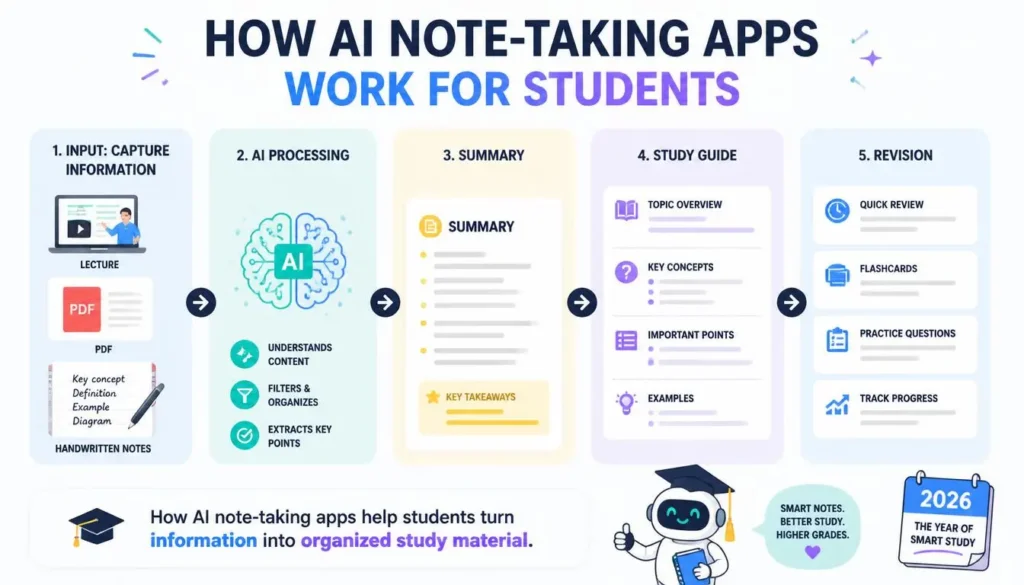
That is where AI note-taking apps can help. Modern tools can summarize lectures, organize information, answer questions from your notes, create study guides, and even turn recorded conversations into searchable transcripts.
In this guide, we’ll compare the 10 best AI note-taking apps for students in 2026, focusing on their key features, strengths, limitations, and best use cases. Whether you prefer typing, handwriting, research-based study, or lecture transcription, you’ll find an option that fits your workflow.
⚠️ Educational Disclaimer: AI note-taking tools are designed to support learning, not replace it. Always review AI-generated notes for accuracy and follow your school’s or university’s academic-integrity and recording policies.
Quick Comparison: Best AI Note-Taking Apps
| App | Best For | Free Plan | Rating |
|---|---|---|---|
| Notion AI | Organization | Yes | ⭐⭐⭐⭐⭐ |
| OneNote + Copilot | Microsoft users | Yes | ⭐⭐⭐⭐☆ |
| Evernote AI | Research | Limited | ⭐⭐⭐⭐☆ |
| NotebookLM | Research materials | Yes | ⭐⭐⭐⭐⭐ |
| Otter.ai | Lectures | Yes | ⭐⭐⭐⭐☆ |
| Mem AI | Smart organization | Yes | ⭐⭐⭐⭐☆ |
| Reflect AI | Knowledge management | Trial | ⭐⭐⭐⭐☆ |
| Capacities | Connected notes | Yes | ⭐⭐⭐⭐☆ |
| Apple Notes | Apple users | Yes | ⭐⭐⭐⭐☆ |
| Goodnotes AI | Handwritten notes | Limited | ⭐⭐⭐⭐⭐ |
📌 What Are AI Note-Taking Apps?
AI note-taking apps combine traditional digital notebooks with artificial intelligence. Instead of simply storing information, they can summarize, organize, search, and transform notes into useful study material.
Depending on the platform, students can:
- Summarize lengthy notes
- Generate study guides
- Ask questions about uploaded material
- Create tasks and reminders
- Transcribe lectures
- Search notes using natural language
- Organize research automatically
For students, the biggest advantage is simple: less time managing information and more time learning it.
1. Notion AI
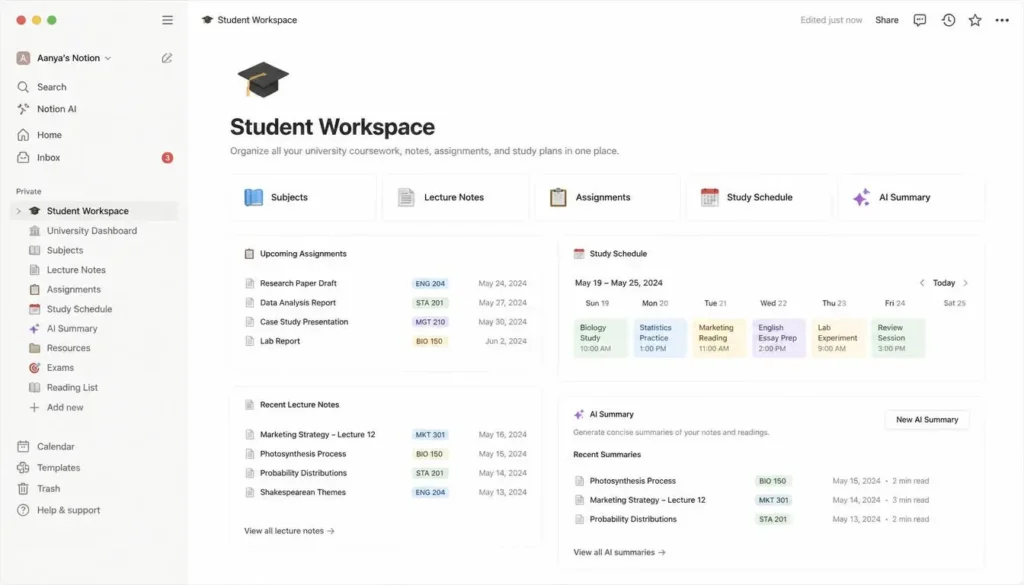
Notion is one of the most versatile choices for students who want notes, assignments, projects, and AI assistance in one workspace.
Best for: Study planning, organization, research, and project management.
Key Features
- AI summaries
- Writing assistance
- Task creation
- Brainstorming
- Study planning
- Knowledge organization
Students can organize notes by subject, create revision plans, summarize lectures, and generate practice questions.
Pros: Highly customizable, excellent organization, strong collaboration.
Cons: Beginners may face a learning curve, and some AI features require payment.
2. Microsoft OneNote with Copilot
OneNote becomes more useful with Copilot, particularly for students already using Microsoft 365.
Best for: Lecture notes, productivity, and collaboration.
It can help summarize information, organize notes, generate content, and work alongside Microsoft’s productivity tools.
Pros: Excellent Microsoft integration, synchronization, collaboration.
Cons: Advanced AI features generally require an eligible subscription.
3. Evernote AI
Evernote combines traditional note-taking with AI-powered search and organization.
Best for: Research, document organization, and personal knowledge management.
Students can save research papers, web pages, lecture notes, and other resources and retrieve information more easily.
Pros: Strong search, web clipping, organization.
Cons: Free access has limitations and advanced features may require payment.
4. Google NotebookLM
Google NotebookLM is particularly useful when students want to work directly with their own study materials.
Best for: Research and source-based learning.
You can upload PDFs, lecture notes, research papers, and course materials, then ask questions based on those sources.
Pros: Excellent for research, source-based answers, useful summaries.
Cons: Its usefulness depends heavily on the quality of the material you provide.
🖼️ Visual Instruction
Visual: Show a NotebookLM-style workflow: Upload Course PDF → Ask Question → AI Answer → Source Reference → Study Notes.
Caption: Using uploaded course materials for AI-assisted study and research.
Alt Text: Google NotebookLM study workflow using student documents.
5. Otter.ai
Otter.ai focuses on converting spoken conversations into searchable text.
Best for: Lectures, seminars, meetings, and online classes.
It offers transcription, speaker identification, summaries, and searchable transcripts. Students can review lectures later instead of trying to write down every sentence.
Pros: Saves lecture-note time, searchable transcripts, useful summaries.
Cons: Accuracy can vary with audio quality and accents.
Important: Always check whether your institution or instructor requires permission before recording a lecture.
6. Mem AI
Mem AI focuses on automatically connecting and organizing information.
Best for: Connected notes and personal knowledge management.
Students can store lecture notes, research ideas, and project information without spending excessive time creating folders or tags.
Pros: Smart search, automatic organization, clean interface.
Cons: Less customizable than some competitors and advanced features may require payment.
7. Reflect AI
Reflect is designed around connected notes and personal knowledge management.
Best for: Daily study notes and long-term knowledge building.
Its AI can summarize and rewrite content while backlinks help students connect ideas across subjects.
Pros: Clean interface, strong note connections, useful AI assistant.
Cons: Smaller ecosystem and continued use requires a paid subscription after the trial.
8. Capacities
Capacities organizes information using objects rather than relying entirely on traditional folders.
Best for: Research projects and visual knowledge organization.
Students can connect notes, references, images, and other content while building relationships between topics.
Pros: Flexible organization, modern interface, strong knowledge management.
Cons: New users may need time to understand its system.
9. Apple Notes
Apple Notes is a practical option for students already using Apple devices.
Best for: Everyday note-taking and quick organization.
It supports handwritten notes, document scanning, smart search, and synchronization across Apple devices. Some AI capabilities depend on compatible hardware and software.
Pros: Simple, integrated, reliable synchronization.
Cons: Best suited to Apple users.
10. Goodnotes AI
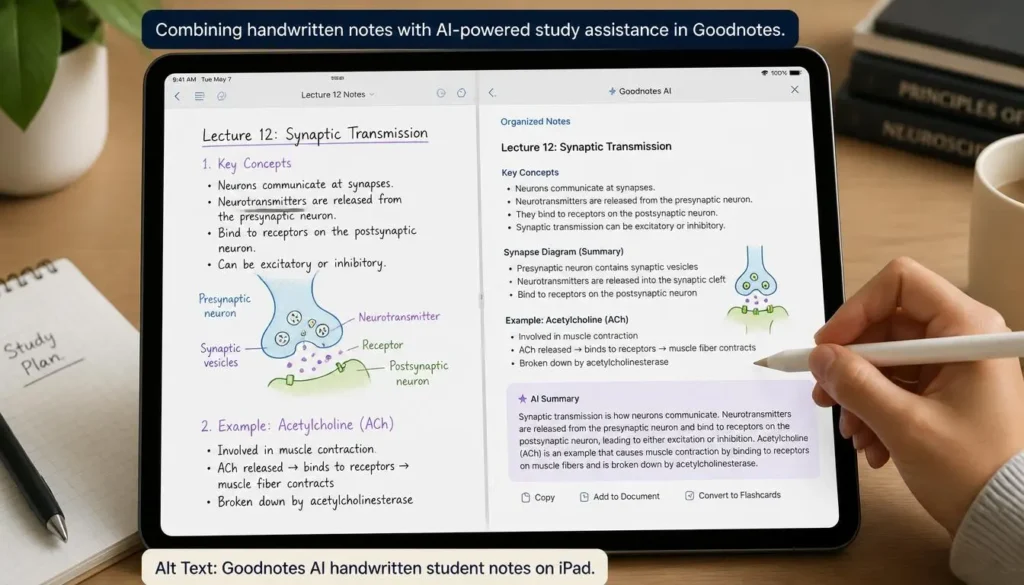
Goodnotes is especially attractive to students who prefer writing with a stylus.
Best for: iPad students, handwritten notes, and PDF annotation.
Students can create digital notebooks, annotate textbooks, recognize handwritten content, and use AI-assisted features for studying.
Pros: Excellent handwriting experience, PDF tools, organized notebooks.
Cons: Full functionality requires a premium plan.
Best AI Note-Taking Apps by Need
| Student Need | Best Choice |
|---|---|
| Overall | Notion AI |
| Lectures | Otter.ai |
| Research | Google NotebookLM |
| Microsoft Users | OneNote + Copilot |
| Apple Users | Apple Notes |
| Handwritten Notes | Goodnotes AI |
| Knowledge Management | Mem AI / Reflect |
| Visual Organization | Capacities |
Pro Tip: Don’t Let AI Replace Your Learning
Use AI to summarize, organize, explain, and quiz you rather than simply generating notes that you never review. After an AI summary, compare it with your original notes and identify anything missing.
Free vs. Paid AI Note-Taking Apps
Free plans are generally enough for students who take occasional notes, need basic organization, or are experimenting with AI.
A premium plan can make sense if you record lectures regularly, manage several courses, conduct research, or use AI every day.
Start with free access and upgrade only when the additional features genuinely improve your study workflow.
Frequently Asked Questions
What is the best AI note-taking app for students?
Notion AI is one of the strongest all-around choices because it combines notes, organization, tasks, and AI assistance.
Which AI note-taking app is best for lectures?
Otter.ai is particularly useful for transcription and searchable lecture summaries, provided recording is permitted.
Is Google NotebookLM good for studying?
Yes. It is especially useful for asking questions and creating summaries from your own PDFs, notes, and course materials.
Are AI note-taking apps free?
Many offer free plans, although storage, AI usage, transcription, and advanced features may be limited.
Can AI-generated notes be trusted completely?
No. AI can miss information or misunderstand context. Always compare important summaries with your original course materials.
Final Verdict
AI note-taking apps can make studying considerably more organized, especially when students are dealing with multiple courses, lengthy lectures, research papers, and exam preparation.
For most students, Notion AI is the strongest overall option. NotebookLM is excellent for research, Otter.ai is better for lectures, while Goodnotes AI is a strong choice for handwritten iPad notes.
The best setup may involve more than one app. For example, use Otter.ai to capture permitted lectures, NotebookLM to study course documents, and Notion AI to organize your semester.
The key is to use AI as a study assistant—not a replacement for understanding, critical thinking, and independent learning.
Our Take: Which Note-Taking App Should You Choose?
Every student has different study habits, so there is no single note-taking app that works best for everyone. Some students need quick lecture summaries, while others prefer organized notes, AI transcription, or study tools.
Our advice: Choose an app based on how you actually study. Try the free version first, compare the features you need, and pick the one that saves you time without making your study process more complicated.
Remember: AI should help you organize and understand your notes, not replace your own learning.
✍️ About the Author
Written by the NestAIHub Editorial Team, specializing in AI tools, technology, productivity software, and practical digital learning solutions.

0 Comments